
Age of Android (Source)
Screenshots & video
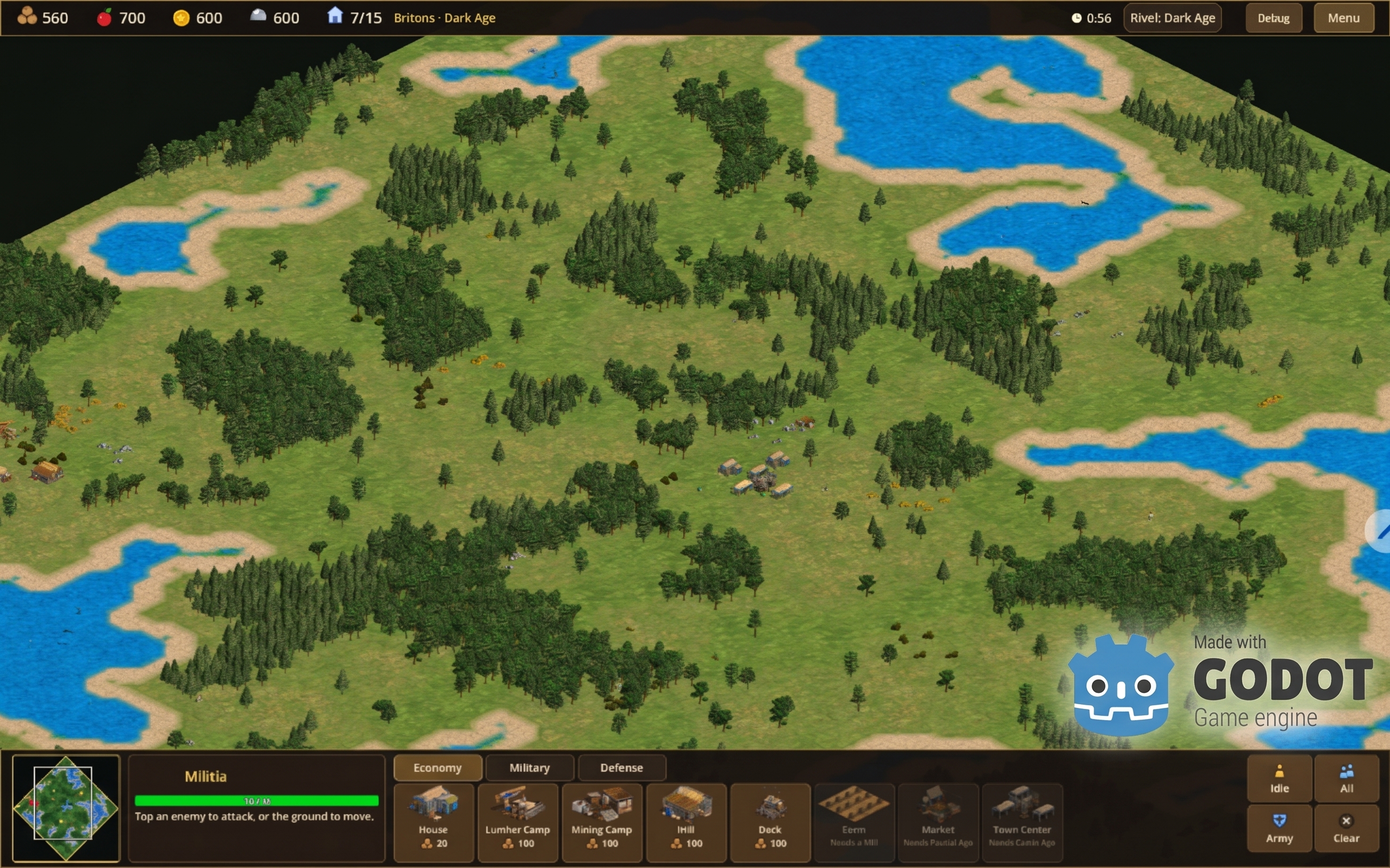
Description
It contains the full Godot project, tools/ and docs/, and no game files, extracted assets, Godot binaries or APKs. I checked that no .drs, .slp, assets/aoe or .apk files are in it.
docs/BUILD.md inside it covers the rest, including Godot's editor settings, the portable and dev build commands, and the tests.
To build the same APK you need:
- Godot: 4.7.2 stable, standard build, plus the matching export templates.
- Java: OpenJDK 21.
- Android SDK: platform-tools, platform android-34 and build-tools 34.0.0, with licences accepted.
- Signing: a debug keystore. BUILD.md has the one-line keytool command to create it.
- Python 3 with Pillow and NumPy: only for the optional tools/*.py scripts. No NDK or Gradle is needed.
The portable APK needs nothing from the game at build time, only these commands:
godot --headless --path godot_game --import
godot --headless --path godot_game --export-debug "Android portable" build/aoe2hdbeta.apk
A new keystore gives the APK a different signature from mine, so it installs as a separate build rather than updating the one on your devices.
The dev version needs your own AoE2 HD files extracted first, and BUILD.md explains how.
I don't have a Github yet, will put it on there soon
I this project started out as a test to see what Claude was capable of, my programming skills are a bit rusty and outdated for Android.
Perhaps i can finish this project using only Claude, this is still a long way from being fully functional.
I will work on it, post updates whenever i can.
docs/BUILD.md inside it covers the rest, including Godot's editor settings, the portable and dev build commands, and the tests.
To build the same APK you need:
- Godot: 4.7.2 stable, standard build, plus the matching export templates.
- Java: OpenJDK 21.
- Android SDK: platform-tools, platform android-34 and build-tools 34.0.0, with licences accepted.
- Signing: a debug keystore. BUILD.md has the one-line keytool command to create it.
- Python 3 with Pillow and NumPy: only for the optional tools/*.py scripts. No NDK or Gradle is needed.
The portable APK needs nothing from the game at build time, only these commands:
godot --headless --path godot_game --import
godot --headless --path godot_game --export-debug "Android portable" build/aoe2hdbeta.apk
A new keystore gives the APK a different signature from mine, so it installs as a separate build rather than updating the one on your devices.
The dev version needs your own AoE2 HD files extracted first, and BUILD.md explains how.
I don't have a Github yet, will put it on there soon
I this project started out as a test to see what Claude was capable of, my programming skills are a bit rusty and outdated for Android.
Perhaps i can finish this project using only Claude, this is still a long way from being fully functional.
I will work on it, post updates whenever i can.
Parts list
Thanks to
https://github.com/SFTtech/openage for the extraction methods
https://godotengine.org/ for the game engine
https://github.com/SFTtech/openage for the extraction methods
https://godotengine.org/ for the game engine
Source code
# Checks for, downloads and installs the software needed to build the Age of Android / AoE2HDBeta APKs (see docs/BUILD.md),
# then prints a report: what is installed (with versions), what failed and how to install it by hand.
#
#   tools/setup_build_env.sh            check, then install what is missing (asks once before installing)
#   tools/setup_build_env.sh --check    only check and report, change nothing
#   tools/setup_build_env.sh --yes      do not ask
#
# For Debian/Ubuntu and derivatives (apt) on x86_64. System packages go through apt (sudo); Godot, its export templates and the Android SDK
# are installed under your home folder, no root needed. Override with: GODOT_VERSION, GODOT_DIR, ANDROID_SDK_ROOT.
Download
| Version | Size | SHA-256 | |
|---|---|---|---|
| 1.0.0 Demo 2026-10-23 Source code + install script for required software to build the apk (Tested on Ubuntu 26.04 which is my machine) | 863.8 KB | b1a42902fdfc340e0dd1edc9d8eca9420fb56a36db51e0ea922ab746d669e013 | Download |
Comments (0)
No comments yet. Be the first!
Leave a comment
© 2026 Domotix.co — All rights reserved.